
Chapter 1: The Evolution of Computer Hardware
Computer hardware, the tangible components that make computing possible, has undergone a remarkable transformation over the past century. From the clunky mechanical machines of the early 20th century to the sleek, powerful devices we use today, the journey of computer hardware is a fascinating story of innovation, engineering, and human ingenuity. Understanding this evolution not only highlights the progress of technology but also provides insight into the underlying principles that continue to shape modern computing.
The Dawn of Computer Hardware: Mechanical Machines
The earliest forms of computer hardware were not electronic at all. In the 19th and early 20th centuries, mechanical devices performed computations that would eventually lay the groundwork for modern computers. Charles Babbage, often referred to as the “father of the computer,” designed the Analytical Engine in the 1830s—a mechanical device that could perform arithmetic and logic operations using gears, levers, and punch cards. Although the Analytical Engine was never fully constructed during Babbage’s lifetime, it represented a fundamental breakthrough in the concept of programmable hardware.
During this period, other mechanical computing devices emerged, including the difference engine, slide rules, and mechanical calculators. These machines were limited in speed and functionality but demonstrated the essential principle of computer hardware: physical components working together to process information.
The Birth of Electronic Computer Hardware
The real revolution in computer hardware came with the advent of electronics in the mid-20th century. The development of vacuum tubes enabled the creation of the first electronic computers, such as the ENIAC (Electronic Numerical Integrator and Computer), built in 1945. ENIAC was massive—occupying an entire room—and relied on thousands of vacuum tubes to perform calculations. Despite its size and energy consumption, it marked the beginning of a new era in computer hardware, where speed and reliability were dramatically improved.
Shortly after, transistors replaced vacuum tubes in the 1950s. Transistors were smaller, faster, more reliable, and consumed far less power. This breakthrough transformed computer hardware design, enabling smaller and more efficient machines. The transition from vacuum tubes to transistors is a key milestone in the evolution of computer hardware, as it set the stage for the miniaturization and mass production of computing devices.
The Integrated Circuit and Microprocessor Era
The next major leap in computer hardware came with the invention of the integrated circuit (IC) in the late 1950s and early 1960s. ICs allowed multiple transistors, resistors, and capacitors to be fabricated on a single silicon chip, drastically reducing size and cost while increasing performance. This innovation laid the foundation for modern computing, allowing hardware to evolve from room-sized machines to desktop computers.
Building on this advancement, the development of the microprocessor in the early 1970s brought computing power to individual users. The Intel 4004, widely regarded as the first commercial microprocessor, integrated the CPU onto a single chip. Suddenly, computer hardware was no longer confined to laboratories and government offices; it could be embedded in personal computers, calculators, and even early gaming consoles. The microprocessor revolutionized both the design and accessibility of computer hardware, making it a central component in almost every electronic device.
Modern Computer Hardware: Speed, Efficiency, and Miniaturization
As technology progressed, computer hardware continued to evolve at an unprecedented pace. Memory modules, storage devices, and graphics processing units (GPUs) became more sophisticated, faster, and more compact. Random Access Memory (RAM) transitioned from magnetic core memory to dynamic RAM (DRAM) and eventually to high-speed DDR memory, enhancing the performance of modern computers. Storage hardware moved from massive magnetic disks to solid-state drives (SSDs), significantly improving read/write speeds and reliability.
In parallel, motherboards became highly integrated, connecting CPUs, GPUs, RAM, storage, and peripherals efficiently. Power supplies became more energy-efficient, and cooling systems—ranging from advanced fans to liquid cooling—ensured that increasingly powerful hardware could operate safely. The emphasis on miniaturization and energy efficiency led to the creation of laptops, ultrabooks, and mobile devices, all packed with the same fundamental components found in much larger computers.
Specialized Hardware: Graphics, Networking, and Beyond
Modern computer hardware is not limited to general-purpose devices. Specialized hardware emerged to meet the demands of graphics rendering, scientific computation, and artificial intelligence. GPUs, initially designed for rendering video games, have evolved into essential components for AI training and high-performance computing. Network interface cards (NICs), routers, and wireless adapters have transformed hardware into a gateway for global connectivity. Even storage hardware has evolved, with NVMe drives offering unprecedented speed for professional and consumer applications.
Additionally, peripheral hardware, such as high-definition monitors, mechanical keyboards, and virtual reality devices, complements core computer hardware, enhancing user experience. Today, the combination of specialized and general-purpose hardware enables applications ranging from immersive gaming and video editing to machine learning and cloud computing.
The Role of Innovation in Computer Hardware Evolution
The evolution of computer hardware is driven by relentless innovation. Engineers and designers continuously strive to improve speed, efficiency, and functionality while reducing size and cost. Moore’s Law, the observation that the number of transistors on a chip doubles approximately every two years, has guided the expectations and development of hardware for decades. Although the physical limits of silicon are approaching, innovations in quantum computing, photonics, and neuromorphic chips promise to push the boundaries of computer hardware further.
Conclusion of Chapter 1
From mechanical gears to powerful microprocessors, the evolution of computer hardware tells a story of human curiosity and technological achievement. Each stage—from vacuum tubes to integrated circuits, from hard drives to SSDs—represents a leap forward in our ability to process information, communicate, and solve complex problems. Understanding this history is crucial not only for computer enthusiasts and professionals but for anyone seeking to grasp how the hardware that powers modern life came to be.
Computer hardware continues to evolve rapidly, and the future promises devices that are faster, smaller, more efficient, and more intelligent than ever before. By studying the evolution of hardware, we gain a deeper appreciation for the technological marvels that surround us and the innovations that will shape the next generation of computing.
Chapter 2: Core Components of a Computer
Computer hardware is a complex system composed of various components that work together to execute tasks, process data, and deliver output. Understanding the core components of a computer is essential for anyone looking to build, maintain, or optimize a computer system. In this chapter, we will explore the fundamental hardware components that form the backbone of modern computing.
1. The Central Processing Unit (CPU)
The Central Processing Unit (CPU) is often referred to as the “brain” of the computer. It is the primary hardware responsible for executing instructions from programs and managing the flow of data between other components. The CPU’s performance significantly impacts the overall speed and efficiency of a computer system.
CPU Architecture
Modern CPUs are built on complex architectures that include multiple cores, cache memory, and control units. A multi-core CPU can process several tasks simultaneously, enhancing performance for multitasking and demanding applications. Cache memory, which is a small, high-speed memory located on the CPU, stores frequently accessed data to reduce latency.
Clock Speed and Performance
CPU performance is measured in terms of clock speed (GHz), which indicates how many cycles per second the CPU can execute. However, clock speed alone does not determine performance. Factors such as the number of cores, instruction set architecture (ISA), and thermal design power (TDP) also play crucial roles.
CPU Evolution
From the early single-core processors of the 1970s to today’s multi-core, multi-threaded CPUs, the evolution of the CPU has been central to advancements in computer hardware. Modern CPUs incorporate technologies such as hyper-threading, integrated graphics, and AI acceleration, making them versatile for gaming, professional work, and general computing.
2. Motherboard
The motherboard is the central hub of a computer system, connecting all core components, peripherals, and expansion cards. It provides the pathways, known as buses, that allow communication between the CPU, memory, storage devices, and other hardware.
Components of a Motherboard
- CPU Socket: Holds the CPU in place and connects it to the motherboard’s circuits.
- RAM Slots: Allow installation of memory modules (RAM).
- Expansion Slots: Enable additional hardware such as GPUs, sound cards, or network cards.
- Storage Connectors: SATA or NVMe interfaces connect hard drives and SSDs.
- Power Connectors: Supply electricity from the PSU to the motherboard and attached components.
Motherboard Form Factors
Motherboards come in different form factors, such as ATX, Micro-ATX, and Mini-ITX. These sizes determine the number of slots, ports, and compatibility with cases. Selecting the right motherboard is critical for ensuring proper integration of all computer hardware components.
3. Random Access Memory (RAM)
RAM is a type of volatile memory used to store data temporarily while a computer is running. Unlike storage drives, RAM does not retain data when the system is powered off. The amount and speed of RAM directly affect system performance, especially in multitasking, gaming, and professional applications like video editing.
Types of RAM
- DRAM (Dynamic RAM): Common in modern computers, requires periodic refreshing.
- SRAM (Static RAM): Faster but more expensive, often used in CPU cache.
- DDR (Double Data Rate) SDRAM: DDR3, DDR4, and DDR5 are standard in current systems, with increasing speeds and efficiency.
Importance in Computer Hardware
RAM enables the CPU to access data rapidly, reducing reliance on slower storage drives. Insufficient RAM can lead to system lag, longer loading times, and poor performance in memory-intensive applications.
4. Storage Devices
Storage hardware is essential for retaining data, programs, and operating systems. There are two primary types of storage devices: HDDs (Hard Disk Drives) and SSDs (Solid-State Drives).
Hard Disk Drives (HDDs)
HDDs use spinning magnetic disks to store data. They are cost-effective and provide high capacity, but their mechanical nature makes them slower and more susceptible to damage.
Solid-State Drives (SSDs)
SSDs store data on flash memory, offering faster read/write speeds, improved durability, and lower power consumption compared to HDDs. NVMe SSDs, connected via PCIe interfaces, deliver even higher performance, revolutionizing modern computer hardware.
Hybrid Storage Solutions
Many systems combine SSDs for speed and HDDs for capacity, optimizing both performance and storage efficiency.
5. Power Supply Unit (PSU)
The Power Supply Unit (PSU) is a crucial component of computer hardware, converting AC electricity from the wall outlet into DC power usable by the computer. A high-quality PSU ensures stable power delivery to the CPU, GPU, storage devices, and other components, protecting them from voltage fluctuations.
Key Considerations
- Wattage: Must match the system’s power requirements.
- Efficiency Rating: 80 Plus certifications indicate energy efficiency.
- Modularity: Modular PSUs allow users to connect only the necessary cables, improving airflow and cable management.
6. Cooling Systems
Effective cooling is essential to prevent overheating, which can damage components and reduce performance. Cooling hardware includes fans, heat sinks, and liquid cooling systems.
Air Cooling
Air cooling uses fans and heat sinks to dissipate heat. It is cost-effective and simple to install, suitable for most consumer systems.
Liquid Cooling
Liquid cooling systems circulate coolant through a closed loop, offering superior thermal management for high-performance CPUs and GPUs. They are popular among gamers and professionals who require extreme performance.
Thermal Management
Modern computer hardware often incorporates temperature sensors and fan controllers to ensure optimal thermal performance, protecting the system and extending component lifespan.
7. Graphics Processing Unit (GPU)
The GPU is specialized hardware designed to accelerate rendering of images, video, and 3D graphics. While integrated GPUs exist within some CPUs, dedicated GPUs offer significantly higher performance for gaming, design, and AI computations.
Key Features
- VRAM (Video RAM): Dedicated memory for storing textures and graphics data.
- Core Count and Clock Speed: Determines rendering power and speed.
- Ray Tracing and AI Acceleration: Advanced GPUs provide realistic lighting and AI-driven features.
GPU Applications
Beyond gaming, GPUs are essential for professional tasks such as video editing, 3D modeling, and machine learning, highlighting their importance in modern computer hardware.
Frequently Asked Questions (FAQs) About Computer Hardware
1. What is computer hardware?
Computer hardware refers to the physical components of a computer system that perform various functions, such as processing, storing, and displaying data. This includes devices like the CPU, motherboard, RAM, storage drives, GPUs, and peripheral devices. Unlike software, which consists of programs and applications, hardware is tangible and can be physically touched and installed.
2. Why is computer hardware important?
Computer hardware is crucial because it determines the speed, performance, and capabilities of a computer. Without reliable hardware, software cannot function efficiently. High-quality computer hardware enables smoother multitasking, faster processing, better gaming experiences, and efficient handling of professional applications like video editing and 3D modeling.
3. What are the main components of computer hardware?
The main components include:
- CPU (Central Processing Unit): Executes instructions and processes data.
- Motherboard: Connects all hardware components.
- RAM (Random Access Memory): Temporary memory for fast data access.
- Storage Devices: HDDs, SSDs, or NVMe drives for permanent data storage.
- GPU (Graphics Processing Unit): Renders graphics and accelerates computations.
- Power Supply Unit (PSU): Supplies electricity to all components.
- Cooling Systems: Fans or liquid cooling to prevent overheating.
4. What is the difference between RAM and storage?
RAM is a temporary memory used for running programs and active processes, while storage (HDDs, SSDs) is used to permanently store files, programs, and the operating system. RAM allows quick access to data, whereas storage retains information even when the computer is turned off.
5. How do I know if my computer hardware is compatible?
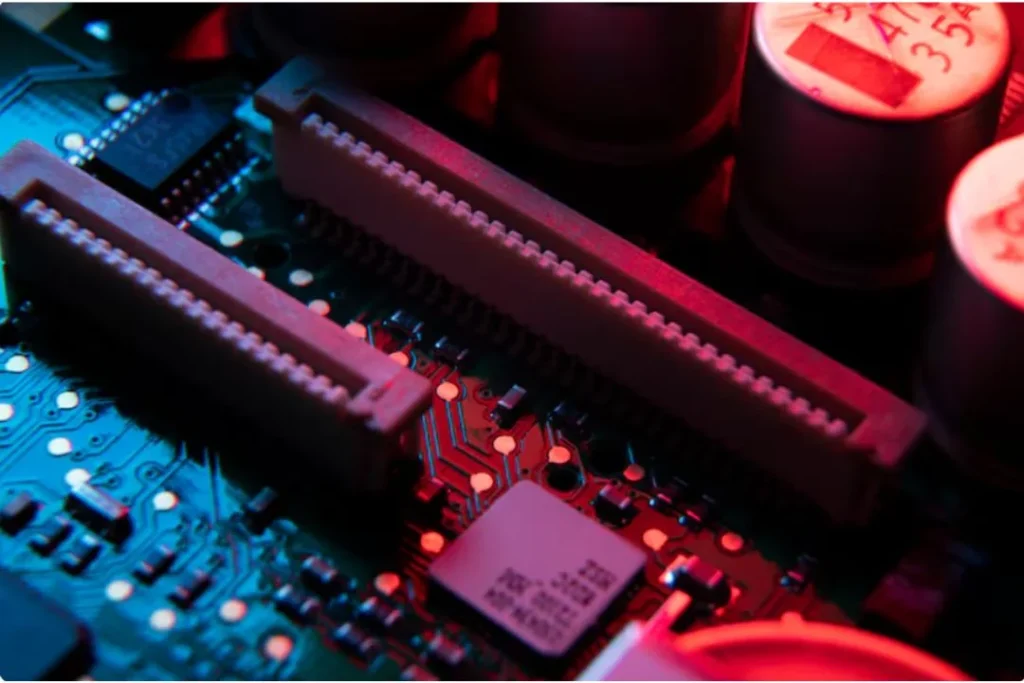
Compatibility depends on the motherboard, CPU socket, RAM type, GPU interface, and power supply. Always check the specifications of each component and ensure they match the motherboard and other hardware requirements. Modern motherboards often provide detailed compatibility lists for supported CPUs, RAM, and GPUs.
Conclusion
Computer hardware forms the backbone of every computing system, from the simplest personal laptop to the most advanced supercomputer. Throughout its evolution, hardware has transformed dramatically—from mechanical calculators and vacuum tubes to high-speed microprocessors, powerful GPUs, and ultra-fast storage solutions. Understanding the components, functions, and advancements of computer hardware provides invaluable insight into how modern technology operates and why it continues to evolve at such a rapid pace.
Every piece of hardware, whether it’s the CPU processing instructions, the RAM temporarily storing data, or the GPU rendering complex graphics, plays a critical role in ensuring a computer functions efficiently and effectively. As innovations continue, modern computer hardware is becoming faster, smaller, more energy-efficient, and increasingly specialized to meet the diverse needs of gaming, professional work, AI computing, and everyday tasks.